


Can you really lock a visual identity so your character stays the same across every new image?
TitFlik’s image generator now lets you keep your designs locked across sessions, so your character retains a clear look in each creation.
The free plan gives you 3000 credits per month to test the workflow and learn the tool. You can generate consistent visuals without rebuilding from scratch for every image.
This character generator saves time in professional content creation by keeping each design visually coherent. That means fewer edits, faster output, and smoother pipeline integration for your brand or projects.
Key Takeaways
- You can keep a character’s look stable across multiple sessions.
- The free plan includes 3000 credits per month for testing.
- The image generator reduces rework and speeds creation.
- The tool supports a steady visual identity across images.
- It acts as a practical character generator for professionals.
Understanding the Need for Consistent AI Characters
When a lead figure must stay recognizable from scene to scene, you need a tool that preserves their image.
You want a clear, repeatable look for your protagonist. Using a single reference photo can lock identity and stop facial drift.
Maintaining character consistency matters when the same person appears across multiple scenes. Storytellers rely on that stability to keep the audience focused.
Most general models do not include an identity-preservation step. That is why a professional character generator and the right tools matter for reliable results.
- You avoid seeing facial features change between shots.
- You retain the core character identity even with new outfits or backgrounds.
- You keep narrative flow when the protagonist moves across multiple settings.
| Feature | Benefit | Best for |
|---|---|---|
| Locked reference photo | Prevents facial drift | Sequential scenes |
| Identity-preservation | High character consistency | Brand assets |
| Professional generator | Repeatable results | Commercial projects |
How TitFlik AI Maintains Identity Across Generations
Behind the scenes, advanced diffusion models preserve the face and style you choose.
Flux Dev and Flux Pro form the core of the model. They analyze your reference photo and lock in facial structure so your character stays recognizable across each generation.
The system maps defining features and applies controlled variation. That means you can try new style or lighting without losing identity.
Creators save time because fewer manual edits are needed. The platform’s consistency checks prevent drift by comparing new images to the original input during generation.
- Use one reference to make repeatable avatars for games, comics, or branding.
- Keep character consistency whether you craft fantasy figures or realistic portraits.
- The image generator prioritizes reliable, repeatable results for modern creators.
Getting Started with Your First Reference Image
Before you generate variations, set up a single, reliable visual base.
Upload one high-quality reference image that shows a clear frontal view. This photo should be well-lit and focused on the face. That setup helps the generator lock identity and improves character consistency across later generation.
Uploading Your Initial Asset
Follow these quick steps to begin:
- Choose a sharp, frontal photo that highlights facial detail.
- Upload the reference image to the platform and confirm facial alignment.
- Use your 3000 monthly credits to test prompts and refine the look.
- Start small: generate a few variations to check quality and stability.

Proper setup of your reference photo is the most important part of the process. Once uploaded, you can use the tool to create consistent character portraits with minimal rework.
Leveraging Advanced Features for Precise Control
Fine-tuned controls give you fast, predictable edits when refining a lead design.
Using Magic Fill for Refinement
Magic Fill helps you fix small areas in an image without redoing the whole piece. Use it to tidy hair strands, tweak skin tone, or patch backgrounds.
Adjusting Masks for Detail
Adjust masks to include or exclude accessories and clothing. Masking puts you in control of what changes and what stays fixed during generation.
Applying LoRa Style Filters
Apply LoRa filters to add a specific style to your character generator output. These filters give artistic flair while keeping the base identity intact.
| Feature | Benefit | Best use |
|---|---|---|
| Magic Fill | Quick local fixes | Small detail refinement |
| Mask adjustments | Targeted edits | Accessories & clothing |
| LoRa filters | Artistic style | Final look tuning |
| Rodin / Flux models | Fast, high-quality generation (~90s) | Rapid variations and testing |
Best Practices for Selecting Reference Photos
Pick a reference image that shows distinct facial features in a straightforward pose.
Use a high-quality, well-lit photo with a clear frontal or 3/4 view. This gives the model strong data to map the face and preserve your character across new generations.
Avoid heavy filters, extreme makeup, or poor lighting. Those distortions reduce the tool’s ability to reproduce facial features and lower overall quality.
Test a few reference images to see which yields the best results. Small changes in angle or light can improve control and steady character consistency in final variations.
“Good lighting and an unobstructed face are the single biggest factors in repeatable, high-quality output.”
- Choose a clean background and neutral expression.
- Prefer even lighting to show depth and contours.
- Keep accessories minimal so features remain visible.
| Photo Choice | Why it Helps | Best Use |
|---|---|---|
| Frontal or 3/4 view | Clear facial features for mapping | Portraits, avatars |
| Even, soft lighting | Shows depth and skin tone | Consistent variations |
| Minimal filters | Preserves true features | Brand and commercial work |
| Multiple tests | Find the most stable reference | Long-term projects |
Integrating Consistent Characters into Professional Workflows
Embed a stable visual into your workflow to speed up production and approvals.
Use your reference image as the single source of truth across iterations. This reduces rework and keeps your protagonist recognizable in every scene.
Maintaining Continuity in Storytelling
Professional creators rely on the generator to hold facial and style cues steady across multiple projects. That helps narrative flow from panel to panel and shot to shot.
Integrate the tool into marketing assets, social posts, and cinematic sequences to build a clear brand face. Jon S. and Mathew K. report faster approvals and fewer revision cycles.
- Save time by reusing one reference for many formats.
- Scale projects while preserving character consistency.
- Improve team collaboration by sharing a locked visual asset.
| Use case | Benefit | Best for |
|---|---|---|
| Marketing campaigns | Brand recognition across channels | Social, web, ads |
| Animation & games | Stable visual continuity | Sequential scenes |
| Client deliverables | Faster approvals and fewer edits | Agencies & studios |
“Using a single locked reference transformed our pipeline and cut revision time in half.”
Expanding Your Creative Potential with Preset Templates
Preset templates speed up ideation so you can prototype a whole cast in minutes.
Use themed presets to quickly create characters that match fantasy, sci-fi, or stylized illustration briefs. These starting points save time and help you create characters that feel polished from the first iteration.
Combine a preset with your own prompts to tweak pose, color, and mood. The result is precise control without steep technical learning curves.
The built-in library lets you mix age, gender, and ethnicity options to explore diverse looks. You can also produce avatars for games, marketing, or storyboards in seconds.
“Templates turn experimentation into a repeatable, fast workflow.”
- Fast theme-based starts for speedy iteration.
- Mix presets with custom prompts to refine appearance.
- Scale generation for multiple roles or versions.
| Feature | Benefit | Best use |
|---|---|---|
| Theme presets | Quick, professional base | Concept art & mood tests |
| Custom prompts | Fine-tune look and style | Character refinement |
| Library options | Fast diversity exploration | Avatars & casting |
Scaling Production for Commercial Projects
Scale your output quickly when projects demand large batches of brand-ready visuals.
Rodin and integrated models let you produce high-quality images fast. You can use your credits to generate large volumes of marketing materials without losing the core design identity.
The platform’s efficient workflow helps you run multiple projects at once. That saves time and keeps quality high across product visuals, ads, and campaign assets.
Adapt one locked reference to seasonal campaigns or specific product placements. The generator makes it simple to tweak mood, wardrobe, or setting while the model preserves defining details.
- Produce ad-ready materials at scale with fewer revisions.
- Manage credits to balance volume and quality.
- Reuse base designs across projects to speed approvals.
| Capability | Benefit | Best use |
|---|---|---|
| High-speed model | Fast batch output | Large campaign runs |
| Credit management | Cost-effective scaling | Continuous production |
| Preset workflows | Stable design language | Marketing & e‑commerce |
“Generate consistent visuals at scale to meet client demand while preserving high standards.”
Troubleshooting Common Output Inconsistencies
When output veers off, a quick checklist can get your design back on track.
If you spot facial drift, start with your reference image. A clear, well-lit photo helps the model lock in facial features and preserve character consistency.
Correcting Facial Feature Drift
Quick fixes for facial drift
Refine the reference image or swap to a cleaner photo if features blur. Use precise prompts that restate defining details like eye shape, hairline, and skin tone.
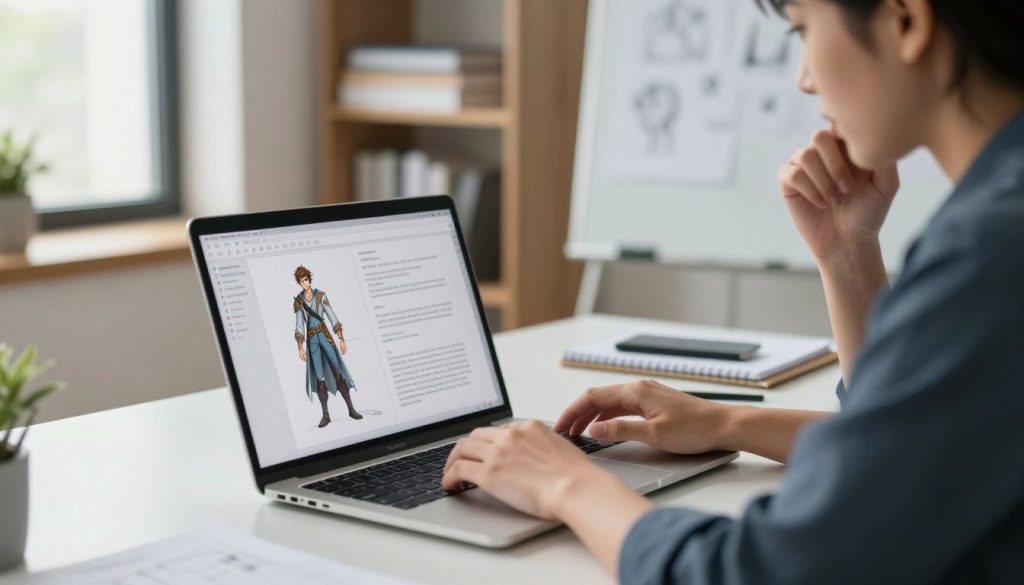
Refining Accessories and Text
Local edits and mask control
Use Magic Fill to patch small errors in images, such as misspelled text or misplaced accessories. Adjust masks to lock items you want untouched during generation.
- Generate several variations to compare results and pick the closest match to your original design.
- Clear, detailed prompts reduce time spent on manual fixes and improve final quality.
- Leverage the platform tools to check output across multiple scenes and maintain a steady look.
| Issue | Action | Best result |
|---|---|---|
| Facial feature drift | Replace or retouch reference photo; tighten prompts | Improved facial consistency |
| Accessory errors | Use Magic Fill and mask adjustments | Clean, accurate accessories |
| Text mistakes | Local edit with Magic Fill; regenerate variations | Readable, correct text |
“If you follow these steps, you can correct errors quickly and keep production moving.”
Conclusion
Finish strong: use a single, high-quality reference photo to guide each generation and anchor your image creation.
Keep your workflow efficient by leveraging the tool’s features and the underlying model to lock identity and speed up output. This helps you get reliable results across projects with fewer edits.
Whether you are a beginner or a seasoned creator, experiment with variations to find the look that fits your brief. Start today and see how the image generator helps you create consistent characters that elevate your work.
FAQ
What is the best way to keep a character consistent across TitFlik AI sessions?
Start with a high-quality reference image that shows clear facial features, lighting, and pose. Use the platform’s reference management and save a set of attributes—like facial structure, skin tone, and wardrobe—so the model can reference them across generations. Also use preset templates and exportable profiles to maintain identity over time.
Why do you need to think about character identity when using TitFlik AI?
A stable identity helps you preserve continuity in storytelling, marketing, and design. When your subject keeps the same look, viewers recognize them across scenes and campaigns. That improves brand recall and supports professional workflows in photo and video production.
How does TitFlik AI maintain identity across multiple generations?
The tool uses reference matching, style filters, and fine-grain control like masks and LoRa-style adjustments to replicate defining features. It prioritizes facial landmarks and color profiles, while features like Magic Fill refine backgrounds and accessories to match the reference image.
How should you prepare your first reference image for best results?
Choose a clear, front-facing photo with neutral lighting and minimal occlusion. Include a few alternate angles if possible. High resolution helps preserve detail for facial features and textures, which the model uses to match across variations.
How do you upload your initial asset in TitFlik AI?
Use the upload panel to add your image file, then create a reference set. Tag key attributes such as hair color, eye color, and distinguishing marks. Save the set so you can apply it automatically to new generations.
What is Magic Fill and how can it refine outputs?
Magic Fill lets you replace or extend backgrounds and fix edges around the subject. Use it to clean up composite areas, remove unwanted elements, and ensure backgrounds match the reference lighting and depth for a unified look.
When should you adjust masks for added detail?
Adjust masks when accessories, hair strands, or fine edges need correction. Precise masks let you preserve small elements like glasses or jewelry while the rest of the image is modified. This reduces drift in appearance across edits.
How do LoRa style filters improve consistency?
LoRa filters apply targeted stylistic adjustments without changing core identity. They help you tune texture, skin smoothing, and color grading so every generation shares the same visual language while keeping defining traits intact.
What should you look for when selecting reference photos?
Pick images with good lighting, varied expressions, and multiple angles. Avoid heavy filters or extreme makeup. Include shots that show clothing and accessories you want preserved. Diverse references make it easier to generate consistent variations.
How can you maintain continuity in storytelling with TitFlik AI?
Use the same reference profile across scenes, lock key attributes, and apply consistent lighting presets. Organize assets by project so every new image or frame uses the same identity and wardrobe cues to support narrative flow.
How do preset templates expand your creative potential?
Templates speed up setup and ensure repeatable results. They store composition rules, color grading, and mask settings so you can produce variations quickly while preserving the subject’s identity and the overall style of your campaign.
What steps enable scaling production for commercial projects?
Use batch processing, standardized templates, and saved reference profiles. Implement a quality-control pass that checks facial landmarks and accessory placement. Integrate the tool into your asset management system for consistent output across teams.
Why do output inconsistencies happen and how can you troubleshoot them?
Inconsistencies often stem from low-quality references, differing lighting, or insufficient masks. Revisit the reference set, tighten masks, and apply the same LoRa filters and templates. If drift persists, provide additional reference angles or tweak the matching sensitivity.
How do you correct facial feature drift in generations?
Add more high-resolution reference images that highlight facial landmarks. Increase the weight of landmark matching in the generation settings and use selective masks to protect the face during edits. Fine-tune style filters to avoid over-smoothing.
What are best practices for refining accessories and text in images?
Use precise masking around accessories and apply Magic Fill to integrate them into new backgrounds. For text, use vector overlays or embedded labels rather than raster text so it scales cleanly. Store accessory templates so they remain consistent across variations.